Analysis Methods
MatLab Code
1_TDOA: TDOA_tracking_master
2_Extract-PG: Extract_Pamguard_detections
3_Localize: Localization_Towed_Array
Encounter Processing Steps
Start with TDOA_tracking_master. Set all directory paths and parameters using the ReadMe instructions for the package OR the full manual in pdf format folder in the supplement folder.
In
Specify_Paths.mnote that encounters are processed at a folder level. You cannot select individual file, so wav files need to be foldered to contain only that encounters recordings. Root folder for false killer whale recordings is found here…\\PICCRPNAS\CRP3\FKW_TA_RecordingsIn
Specify_Parameters4Xcorr.mcheck the name of the array against the list inArray_Info.cvs. If the array design required is not listed add it to the list. Specify Encounter has the following naming structure: 4-digit Cruise#, 3-digit acoustic ID#, SignalTypeProcessed (P1=both, P2=clicks, P3=whistles). Example: 1705279P1 (HICEAS17-Lasker AC279 both)Add the following code to line 111 of the
A2_ExtractMeasurements_and_TrackTDOAs.mfile…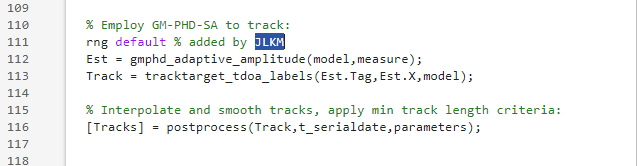
Set signals to be processed to clicks, whistles, or both in line 16 of
A1_Compute_CrossCorrelogram.m. The first choice is both, but in some cases only one signal type was detected in the encounter.Run
A1_Compute_CrossCorrelogram.m. Note that this will take a while and if both signal types are being processed it will going through all the file types twice.Example output (Note it will most likely always look faint at this stage)…
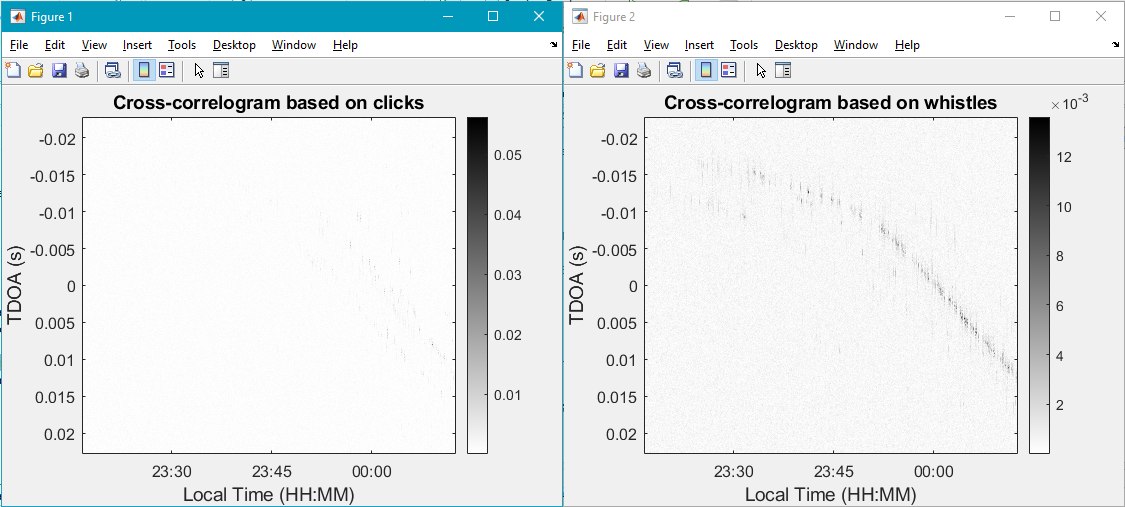
Run
A2_ExtractMeasurements_and_TrackTDOAs.m. This file should be much faster and if not run quickly then something was processed incorrectly.Example output…
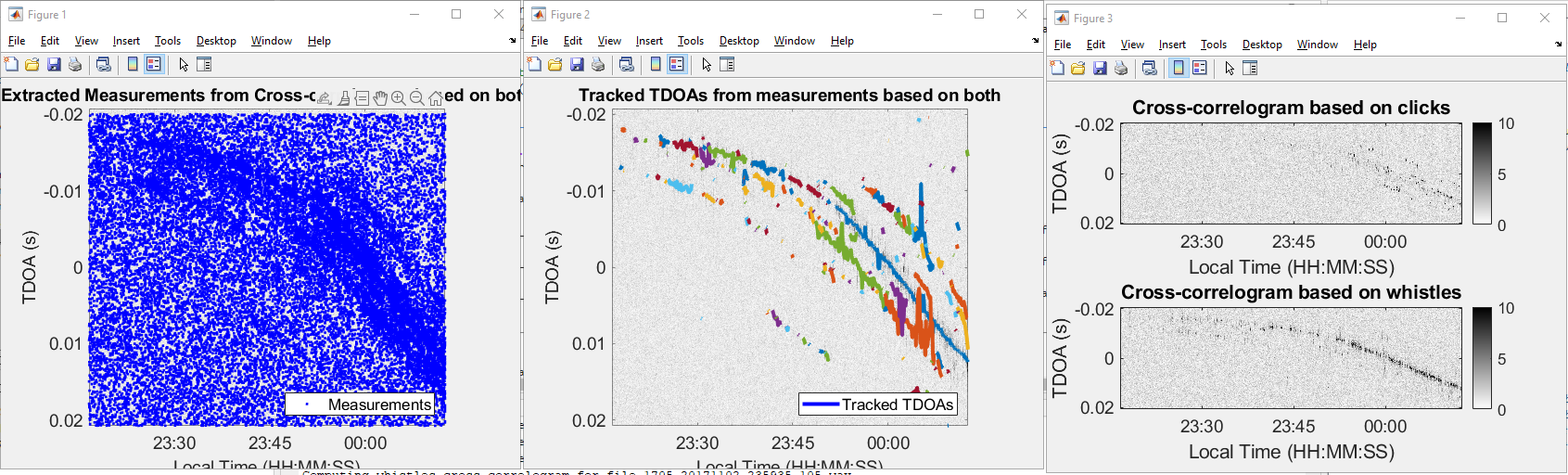
If the TDOA tracks look problematic then open
Specify_Parameters4Tracking.myou now have another changeable parameter calledparameters.rts(lines 103-107):
% Specify if you want to forward-backward smooth labels of the estimates % (can help resolve some deviations of the tracks when multiple estimates % get assigned the same label at the same time step): to use the smoother % choose true, otherwise choose false: parameters.rts=false; %(true/false)The default will be false, but if you want to use the forward/backward smoothing then specify
true.From Pina Gruden: Again, a word of caution- like any smoothing algorithm, it will impact results if you use it or not. My personal preference is not to use the smoothing, but for the “problematic” examples like you had above, it could help. I still think, that for “problematic” examples, where assumptions are violated, a different solution would be preferable in long term.
If smoothing was applied change the name to contain a “s” at the end. Example: 1705279P1s (HICEAS17-Lasker AC279 both, smoothed)
Next follow the instructions for Extract_Pamguard_detections if PAMGuard data was collected for the encounter. Set all directory paths and parameters using the ReadMe instructions for the package OR the full manual in pdf format folder in the supplement folder. Note that sqlite file will be need to be copied into the folder structure for processing.
Run
A1_Extract_Tables_from_SQLite.m(Should be relatively quick)Run
A2_Extract_Detections_Info.m(Should be relatively quick)Lastly, follow the instructions for Localization_Towed_Array. Set all directory paths and parameters using the ReadMe instructions for the package OR the full manual in pdf format folder in the supplement folder. Copy required files generated from previous packages that were saved in 1_TDOA and 2_Extract-PG into the folder structure of 3_Localize.
Run
A0_GetGPSData.m(this takes a bit of time)Run
A0_SetUp.m(Should be relatively quick)Example output…
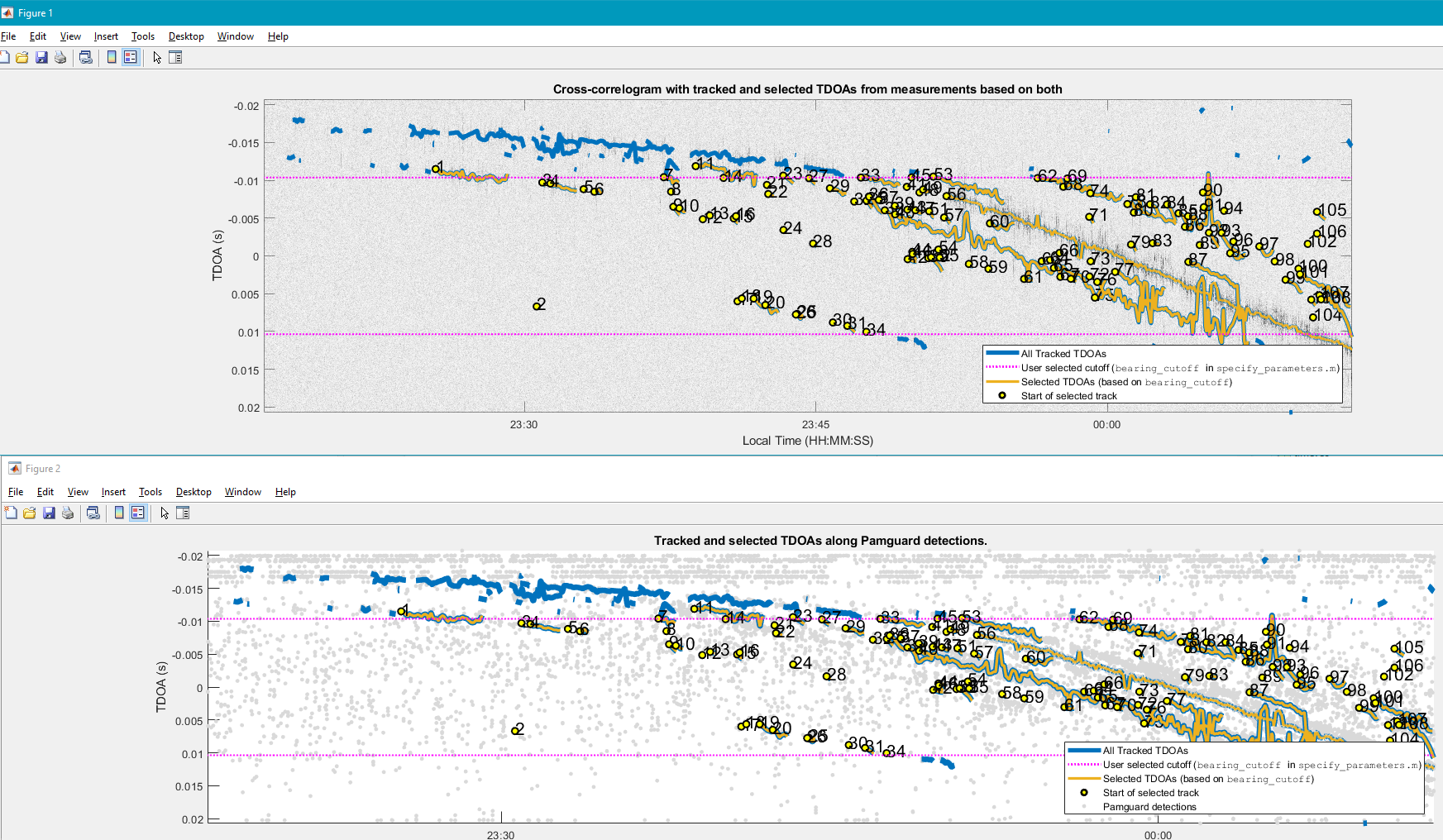
Run
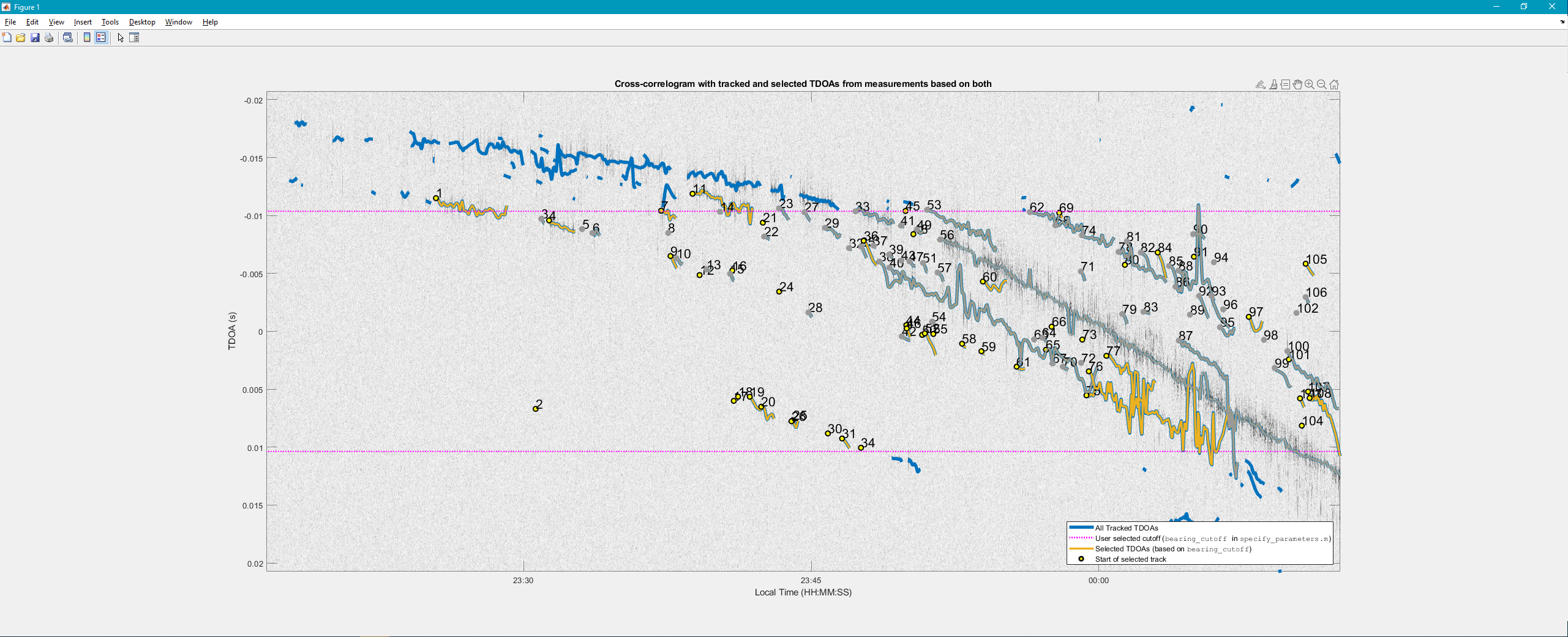
A1_Localize.m. As tracks are selected for localization, keep track in an Excel file the combinations used in case the package crashes while trying to process the next set of tracks. Track data is not saved until the end where the compiled Loc_Plot is generated.Example output… TDOA_Tracks
Example output… Loc_Plot
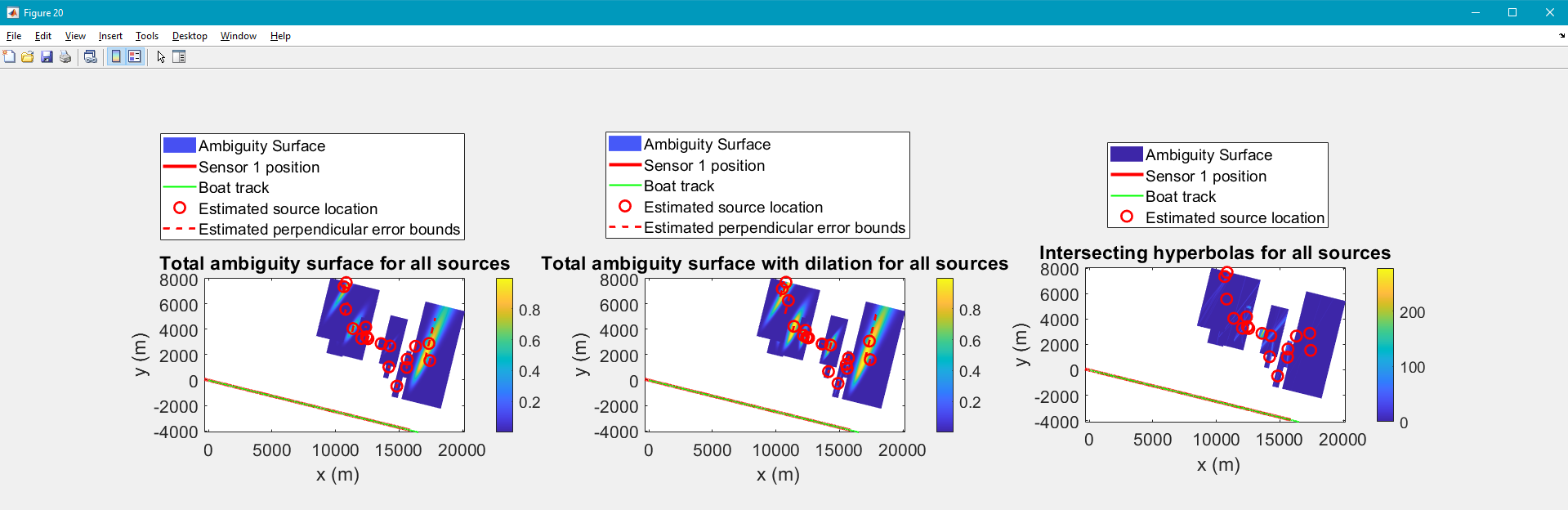
At the end save 3 things before closing out of Matlab…
writetable(Loc_table,'Loc_table.csv'); Save As –>TDOA_Tracks_Plot.jpeg; Save As –>Loc_Plot.fig